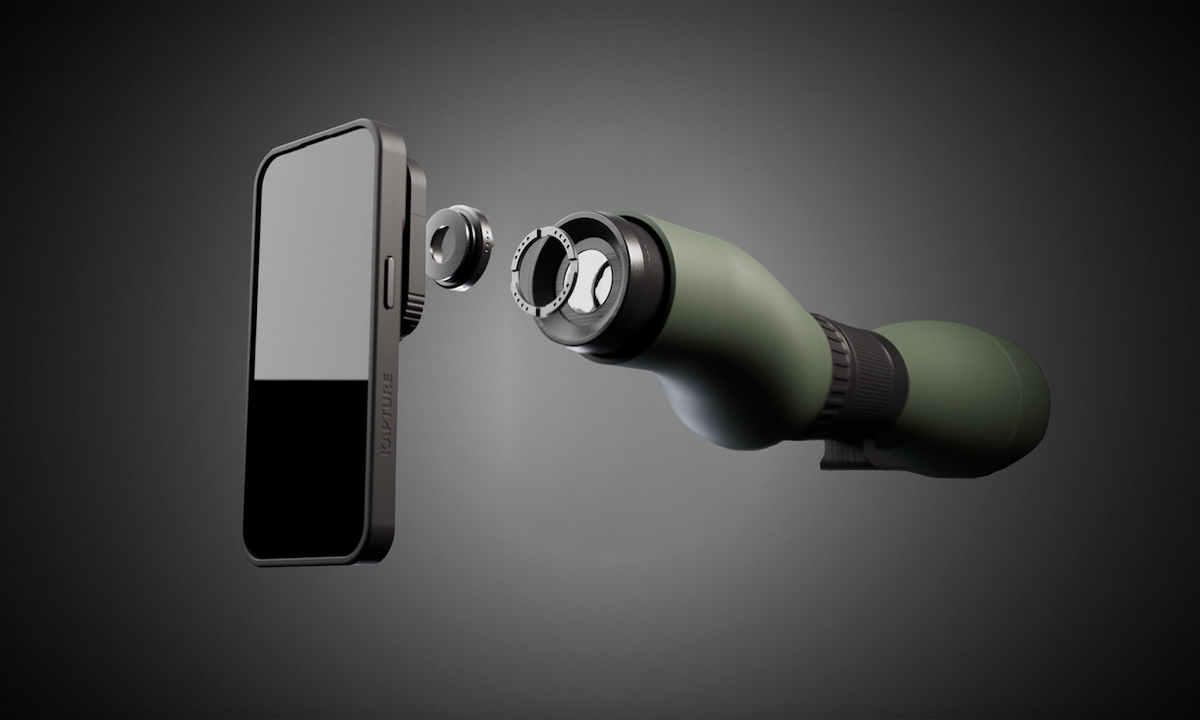
Digiscoping, capturing high-resolution images through a spotting scope using a smartphone, has become a staple for birdwatchers, hunters, and field researchers. The key to consistent, sharp results lies not only in optical quality but also in how securely and precisely the phone is attached to the scope. A dedicated phone mount eliminates wobble, aligns the camera sensor with the eyepiece, and speeds up the workflow, allowing more time for observation and less for setup. Below is a comprehensive guide to selecting, installing, and using a spotting-scope phone mount for effortless digiscoping.
Why a Dedicated Phone Mount Matters
General-purpose adapters or improvised rigs often introduce variables that degrade image quality:
- Stability: Loose clamps cause vibration, especially at higher magnifications.
- Alignment: Misaligned lenses produce vignetting, ghosting, or loss of field of view.
- Repeatability: A proper mount allows quick removal and re-attachment without recalibration.
- Safety: Secure mounting protects both the expensive spotting scope and the smartphone from accidental drops.
For those seeking reliable performance, a purpose-built mount is the most logical investment.
Key Features to Look For
Universal Compatibility
A good mount should accommodate a wide range of spotting scopes (30-80 mm objective lenses) and smartphones (5-7 inch screens). Look for adjustable clamps and interchangeable adapters that can be swapped without tools.
Secure Locking Mechanism
Double-locking levers or screw-tightened brackets ensure the phone stays firmly in place even when the scope is moved or subjected to wind.
Fine-Tuning Adjustments
Micro-adjustable rails for horizontal and vertical alignment let users align the phone camera sensor precisely with the eyepiece, eliminating the need for post-processing cropping.
Lightweight Construction
Aluminum or reinforced polymer frames add durability without significantly increasing the scope’s weight, preserving balance for handheld use.
Step-by-Step Installation Guide
- Prepare the Scope: Remove any existing accessories and clean the eyepiece to ensure a clear optical path.
- Attach the Base Clamp: Slide the base onto the spotting-scope tube and tighten the lock until it feels snug but does not compress the tube.
- Install the Phone Adapter: Position the adapter’s cradle over the eyepiece. Adjust the height so the phone screen sits just above the lens.
- Mount the Smartphone: Place the phone in the cradle, align the camera over the eyepiece, and engage the side locks. Verify that the device is level and centered.
- Fine-Tune Alignment: Use the micro-adjustment knobs to shift the phone horizontally and vertically until the camera view fills the screen without black borders.
- Secure All Fasteners: Double-check each lock and screw. A quick shake test will reveal any looseness.
For visual learners, Explore advanced guides and tips that include video walkthroughs and detailed diagrams.
Optimizing Digiscoping Results
- Use Manual Focus: Switch the phone camera to manual focus mode to lock focus on the target, preventing the autofocus system from hunting during exposure.
- Adjust Exposure Settings: Lower ISO and increase shutter speed to reduce noise, especially in low-light conditions.
- Stabilize the Setup: Employ a tripod or monopod for the spotting scope; the mount adds minimal extra weight, so the combined system remains stable.
- Employ a Remote Shutter: Bluetooth or wired remote triggers eliminate any camera shake caused by tapping the screen.
- Post-Processing: Crop and sharpen images sparingly; a well-aligned mount minimizes the need for heavy editing.
When these practices are combined with a reliable mount, the difference between a blurry snapshot and a crisp, publish-ready image becomes unmistakable.
Maintenance and Troubleshooting
Regular Checks
Before each field session, inspect the following:
- Locking levers for wear or looseness.
- Rubber pads for debris that could cause slipping.
- Phone cradle for cracks or deformation.
Common Issues and Fixes
| Symptom | Possible Cause | Solution |
|---|---|---|
| Vignetting at the edges of the image | Phone not centered over eyepiece | Use the micro-adjustment knobs to re-center. |
| Image wobble when moving the scope | Loose base clamp | Tighten the base lock and verify tube compression. |
| Phone slipping during transport | Worn rubber pads | Replace pads with the spare set supplied with the mount. |
Choosing the Right Mount for Your Needs
Consider the following scenarios when selecting a model:
- Field Photography: Prioritize lightweight aluminum frames and quick-release clamps for rapid deployment.
- Scientific Documentation: Opt for mounts with fine-tuning rails and high-precision locking mechanisms.
- Recreational Birding: A universal adapter with a simple two-lever lock offers a balance of ease-of-use and stability.
For an in-depth comparison of top-rated mounts, Discover expert strategies here. The guide outlines performance metrics, price points, and user feedback to aid decision-making.
Conclusion
Integrating a dedicated phone mount into a spotting-scope setup transforms digiscoping from a cumbersome hobby into a streamlined workflow. By ensuring stability, precise alignment, and repeatable results, the mount empowers users to capture high-definition images with confidence. Whether documenting rare wildlife, recording field data, or simply sharing breathtaking vistas, the right mount is the bridge between optical excellence and digital convenience. For additional resources, product specifications, and support, Learn about our tailored solutions and stay ahead of the curve in modern field imaging.